Git Manager
Available now. Native Git operations for Ignition Designer users working against gateway-local repositories.
View licenseGit management inside the Ignition Designer
Ignition Git Manager is an Ignition 8.3+ add-in that brings day-to-day Git operations into the Designer: stage, commit, remote fetch, pull, push, branch, merge, remote management, and reload actions.

Products
Available now. Native Git operations for Ignition Designer users working against gateway-local repositories.
View licenseWhat the project is
The product exists to manage Git from inside the Ignition Designer. That means the common workflow can stay close to the project instead of relying on a second tool for every routine operation.
The module runs Git operations against gateway-local repositories and exposes them through a Designer manager window plus a compact toolbar.
Built for Ignition 8.3+ with repositories commonly stored under the
Ignition data directory and managed in the gateway context.
The current documented module version is 0.2.3, based on the current
Git Manager repository and build metadata.
What it does
datadata or a custom gateway pathCurrent functionality
Create repositories directly in Ignition data, in a subfolder under
data, or at another gateway-local path.
Stage specific paths or stage everything, then commit with explicit author metadata from the manager window.
Add a remote, update its URL, remove it, and fetch, pull, or push without leaving the Designer.
Create a branch from a start point, checkout another branch, and merge source branches inside the same manager UI.
Trigger project and system file rescans after a pull or merge so Ignition sees file updates on disk.
Use the Designer toolbar for manager, init, stage, commit, pull, push, reload project changes, and reload system files.
Need the exact setup and usage steps?
Open full documentationProduct screens
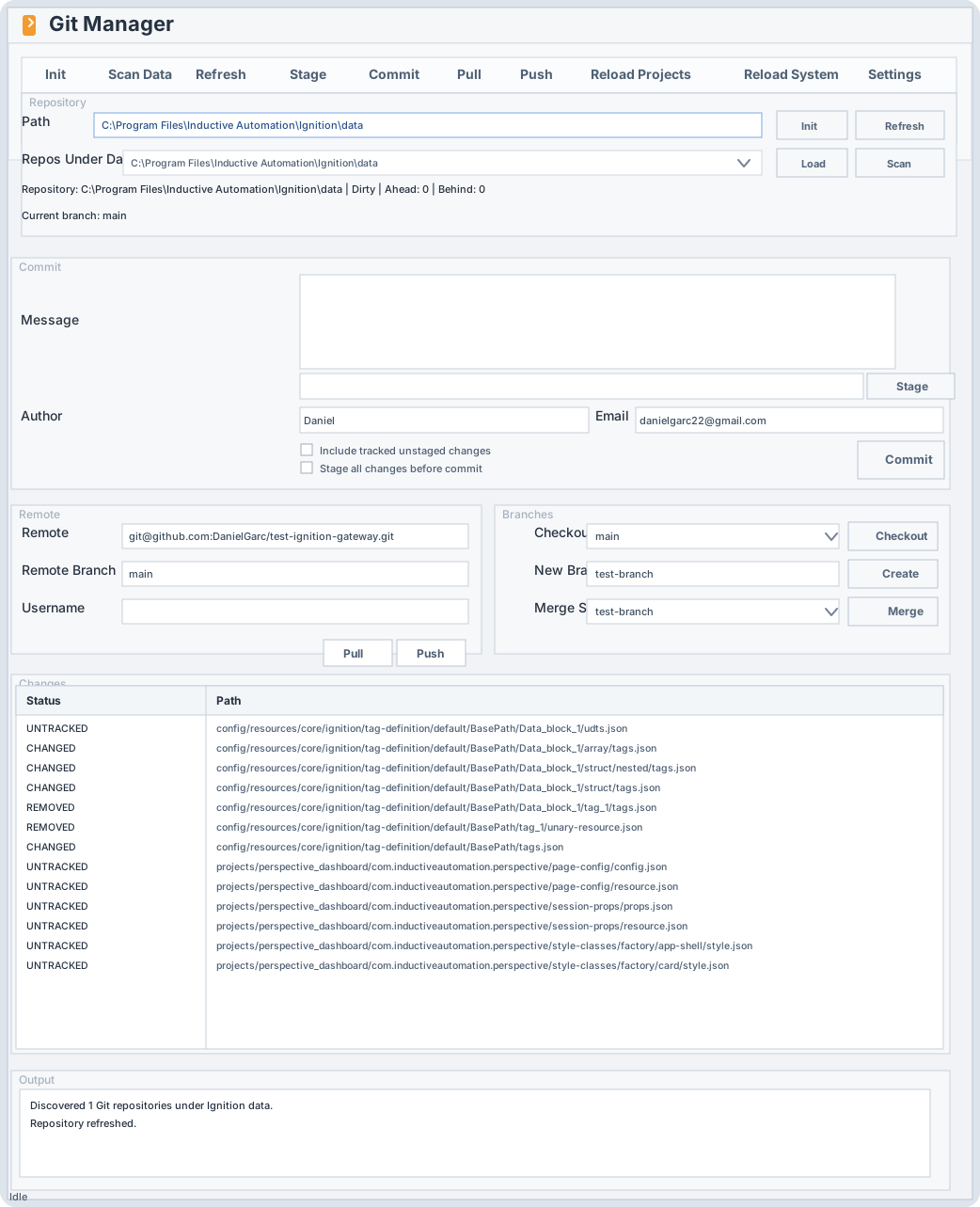
Screenshot-faithful view of the current manager layout: repo loading, commit controls, remote management, branching, change review, and output feedback.
Screenshot-faithful view of the current toolbar for the fast path: open the manager, initialize a repo, stage, commit, pull, push, and reload.
Technical notes
The gateway executes the installed git binary, which helps keep behavior
aligned with the machine's real Git configuration and SSH setup.
Git commands run as the Ignition gateway service account, so repository access, SSH keys, and credential helpers need to be configured for that account.
The current release focuses on core Git operations from inside the Designer. Clone, tags, stash, diff view, and conflict resolution are not included yet.
Pricing
Ignition Git Manager
Fixed-price license for the current release of the module. Delivery is handled directly after contact and can move to an automated flow later.
Contact
Use the form to request access to the module, ask licensing questions, or start a conversation about rollout in your Ignition environment.