Target version
Ignition 8.3 or later.
Documentation
Reference documentation for the current Git Manager release. Use the sidebar to move between setup notes, toolbar behavior, manager sections, and core workflows.

Quickstart
Ignition 8.3 or later.
Paths are interpreted on the gateway machine. Most usage centers around the Ignition data directory.
The module runs native git on the gateway, not JGit.
SSH keys, known hosts, and credential helpers must work for the Ignition gateway service account.
Toolbar
data folder or another gateway-local path.Manager Window
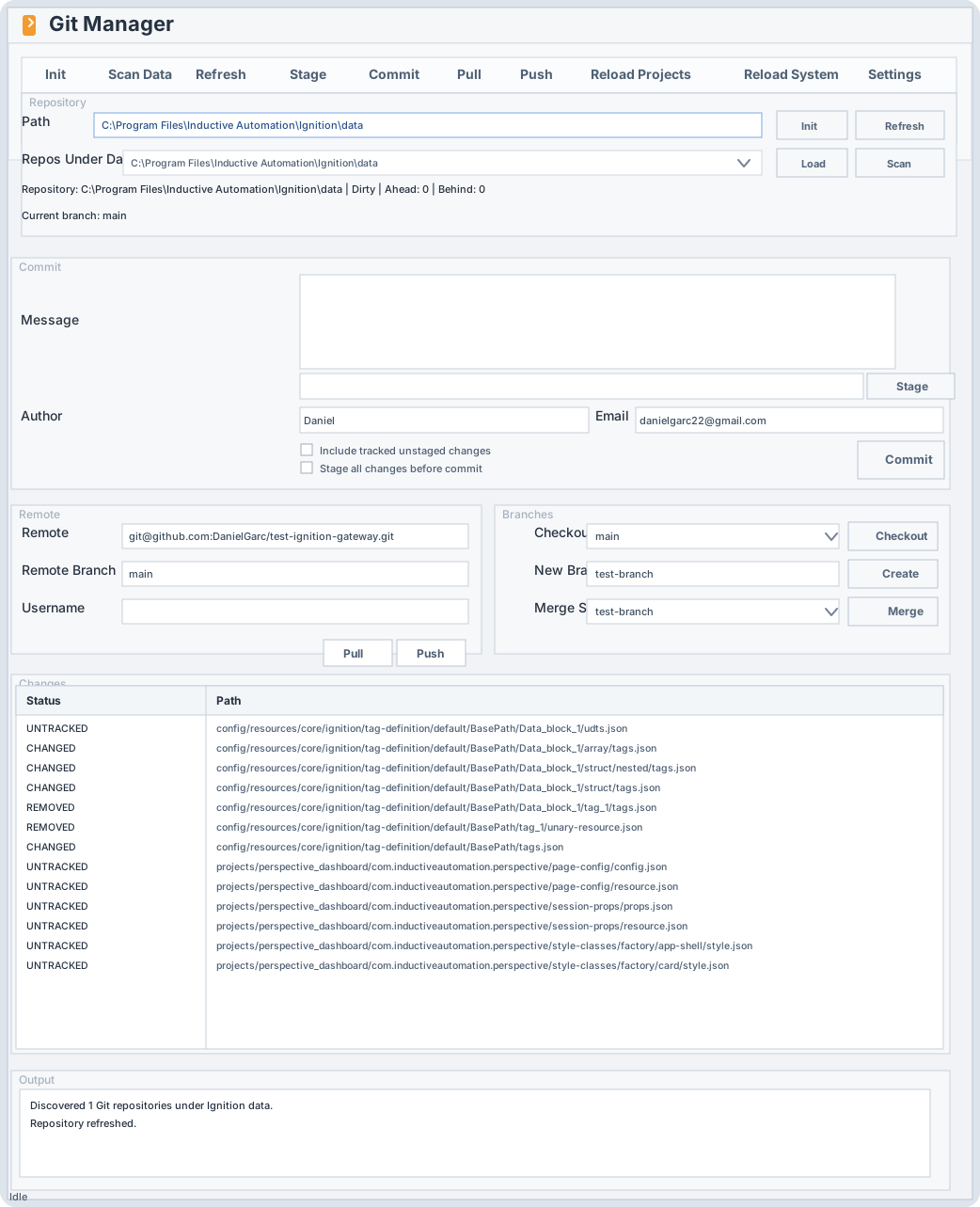
Load a path, discover repos under data, initialize a new repo, and refresh status.
Stage paths, commit with message and author metadata, and optionally stage everything before commit.
Add a remote, update its URL, fetch, pull, and push.
Checkout, create, and merge branches with an explicit start point.
Review tracked and untracked changes before staging or committing.
Read operation results and error messages directly from the manager.
Core Workflows
Create a repo directly in data, in a subfolder under data, or in another gateway-local folder.
data root.data, for example git/my-project.main.Stage selected work or everything, then create a commit without leaving the Designer.
Configure the remote in the manager instead of dropping to a terminal.
origin.Send local commits to the configured remote branch.
Use the Branches panel for local branch work inside the manager.
Tell Ignition to rescan files after a pull, merge, or other repository update.
Operational Notes
The manager can scan the Ignition data tree and list detected repositories for quick loading.
When no .gitignore exists in an Ignition data-root repository, the module applies the recommended Ignition ignore template.
SSH works only when the Ignition service account can use the relevant keys, host entries, and known hosts configuration.
Core workflows are included. Clone, tags, stash, diff view, subtrees, submodules, and conflict-resolution tooling are not included yet.